GROW · NEW
A built-in learning hub.
Self-paced courses, exams and certificates, with training assigned to teams and progress tracked, inside the same employee experience.
- Built for Business Central
- One employee record
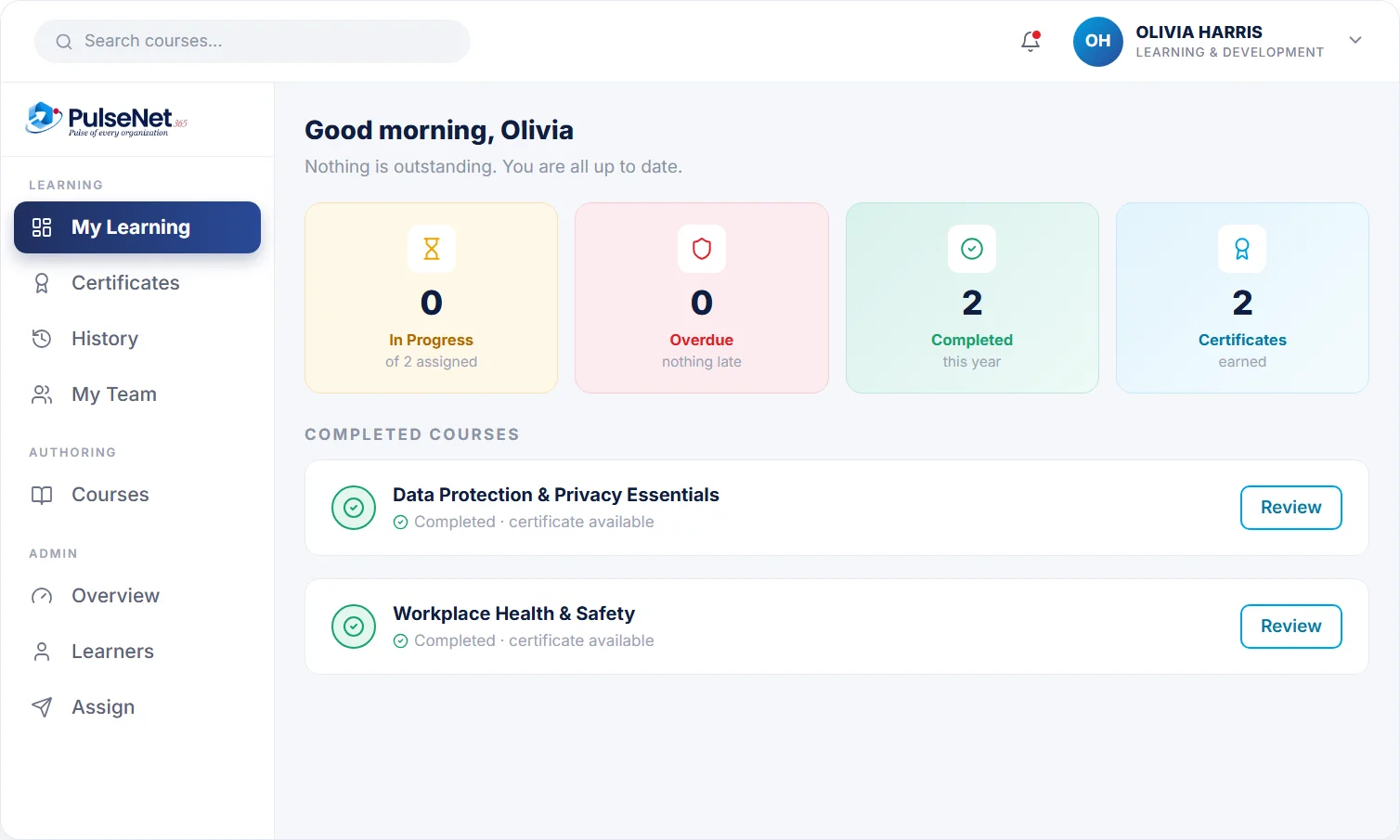
Training hub. Illustrative screen with sample data.
Course passed
Data Protection
Certificate issued
on the record
Renewal in 30 days
reminder set
THE PROBLEM
Why training records drift out of date
Most organisations can say what training they ran last year. Far fewer can say, today, who is qualified for which work. Courses are completed in one tool, certificates arrive by email and the spreadsheet that ties them together is only as current as its last update. When a customer, an auditor or an incident asks for proof, someone rebuilds the answer by hand.
The cost is not only admin time. A lapsed forklift licence is found on the day the work needs doing. New starters wait weeks for mandatory courses nobody noticed were missing, and goals agreed in reviews never become assigned learning.

WHAT GOES WRONG TODAY
- Certificates live in inboxes and shared folders, not on the employee record
- Renewal dates are noticed after they pass, not before
- A completion tick shows someone opened a course, not that they understood it
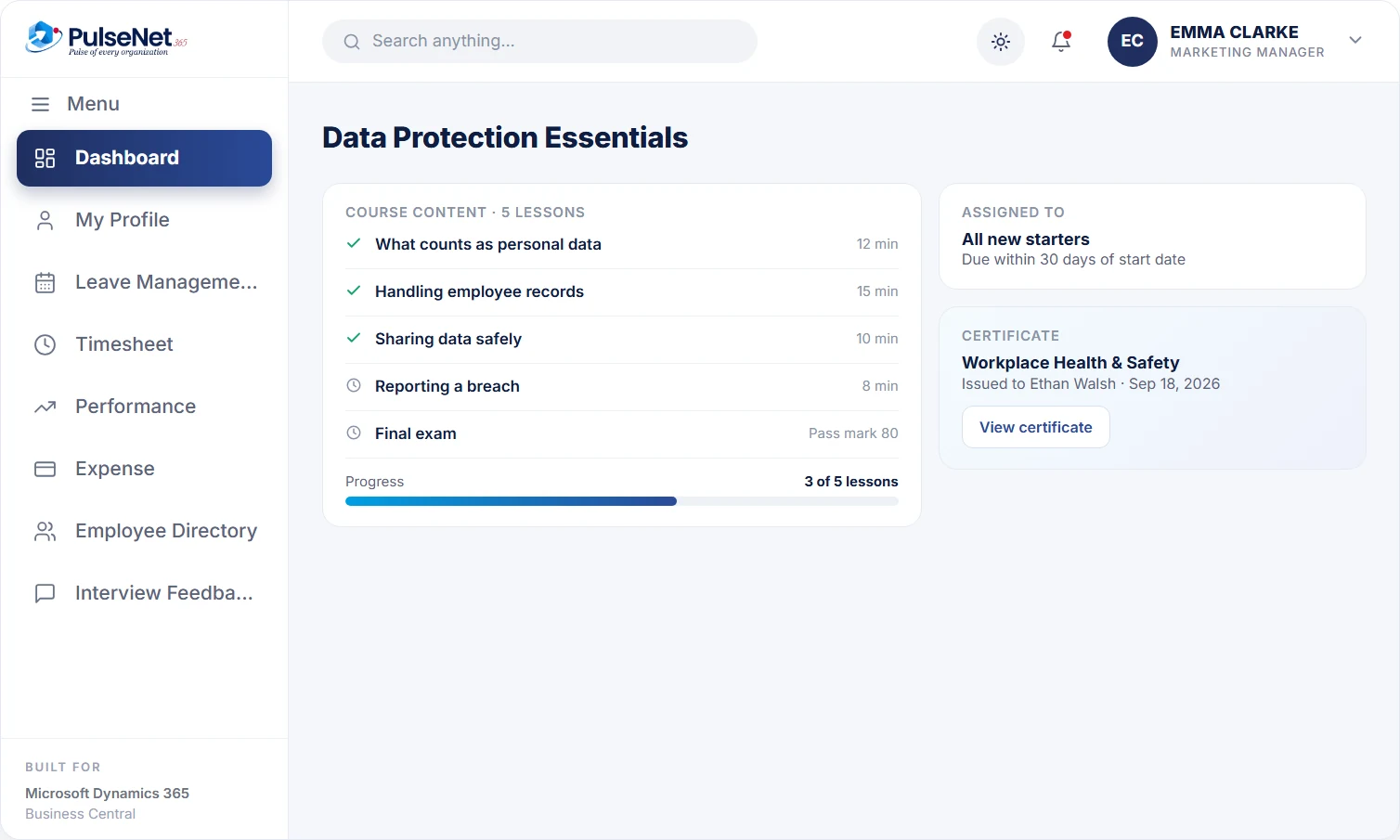
Course progress and certificate. Illustrative screen with sample data.
WHAT IT DOES
Built for the way training and elearning actually runs.
- Self-paced courses with exams
- Certificates issued on completion
- Assign training to teams and individuals
- Track progress, overdue items and completions
- A training history on every employee record
01
Create or choose a course
Content, exam and pass mark.
02
Assign
To a team, a role or an individual.
03
Learn
Employees complete it at their own pace.
04
Certify
Certificates and history recorded automatically.
IN DETAIL
How a passed course becomes evidence on the record
Every step from assignment to certificate writes to the same employee record, so proof of learning sits where HR, managers and auditors already look.
Courses with a pass mark
Each course holds its content, an exam and the pass mark HR sets. An employee who scores below the mark has not completed the course, whatever the progress bar says. That distinction matters when a regulator or customer asks for proof: a passed exam shows understanding, while a page view shows only that the course was opened.
Assign by team, role or person
Assign data protection to everyone, manual handling to the warehouse team and a leadership course to Ethan Walsh alone. Progress, overdue items and completions then show per person and per team. Assigning by role or team means the same requirement applies to everyone it should, rather than depending on which manager remembered to ask first.
Certificates issued on completion
Pass the exam and the certificate is issued and recorded against the employee, with the completion date. External qualifications, such as a first aid certificate from an outside provider, can sit on the same person as a document on the Digital Personnel File , with the dates HR needs to plan the renewal well ahead of expiry.
A history that follows the person
Training history lives on the employee record, not in a separate learning system. When Olivia Harris moves from customer service to team leader, her new manager sees what she has completed and what the role adds. A development goal agreed in her review can be matched with an assigned course, and both sit on the same record at the next review.
WHO IT HELPS
What learners, managers and HR each see
Employees
Assigned courses and due dates in one place, learning at their own pace between other work, and certificates they can find again without emailing HR. When a review goal points to a course, the link is visible on their own record, so development feels planned.
Managers
Who in the team has completed, who is in progress and who is overdue, without building a spreadsheet. Before scheduling someone onto work that needs a qualification, the manager checks the record rather than memory, and assigns courses agreed in a one-to-one.
HR
One place to build courses, set pass marks and assign training by team, role or individual. HR answers ‘who is qualified’ from the record, sees overdue mandatory training across the organisation and adds a new starter’s courses during onboarding rather than months later.
Leaders
Completion and overdue figures by department, from the same data HR works with. With Power BI on the same data, qualification status by team or site becomes a report that refreshes itself, not a monthly exercise someone compiles by hand.
ON BUSINESS CENTRAL
Business Central qualifications versus a learning hub
Business Central already lets you record qualifications on the employee card, with dates and the institution that awarded them. That is a register: it says what someone holds. It does not deliver a course, test understanding or show an overdue assignment. PulseNet365 adds the learning side on the same employee, so a course passed today becomes a record HR, managers and finance all see on Business Central.
Business Central provides
- Qualification records on the employee card, with from and to dates
- Employee records shared with finance and project data
- Copilot chat and list analysis with a Copilot-enabled licence
PulseNet365 adds
+
Self-paced courses with exams and a pass mark
+
Training assigned to teams, roles and individuals
+
Certificates issued automatically when the exam is passed
+
Progress and overdue items tracked per employee and team
GOOD PRACTICE
Good practice for compliance and development training
Write the requirement per role
Before building any course, list what each role must hold: mandatory training for everyone, role-specific courses and external certificates with a renewal period. Name an owner for each requirement, such as health and safety or IT security, and review the list yearly or whenever a role changes.
Record expiry, not just completion
A completion date tells you what happened. An expiry date tells you what is about to go wrong. Record both for anything that lapses, review upcoming expiries monthly and book renewals early, because external course places fill up.
Test the decision, not the definition
Questions that ask people to recite a policy prove memory. Questions built around a real situation, such as a suspicious email or a spill in aisle four, prove judgement. Keep exams short and replace questions everyone gets right.
QUESTIONS
Training & eLearning questions, answered.
Do we build courses ourselves?
Courses are set up in the learning hub with their content, an exam and a pass mark. Most organisations start with the mandatory training they already run, such as induction or data protection, before adding development courses. Bring your current material to the demo and we will look at how it moves across.
Does completing a course mean passing it?
Yes. Completion requires meeting the pass mark HR sets for the exam, and only then is the certificate issued and the course recorded as complete. Until then it shows as in progress, or overdue once the due date passes. That is the standard auditors and customers look for: evidence of understanding, not just access to the material.
How do we track external certificates like first aid?
Store the certificate as a document on the employee’s personnel file and record the qualification with its dates. Business Central’s own qualification records hold from and to dates, so expiry sits on the same employee finance and payroll see. For reminders ahead of expiry, a Power Automate flow can notify the employee and their manager.
Can new starters get mandatory training during onboarding?
Yes. Onboarding checklists include HR and compliance training as tasks with owners and due dates, and the courses are assigned in Training & eLearning against the same employee. HR does not discover the gap at the first audit. See the first 30 days of onboarding .
How high should the pass mark be?
High enough that you would defend it if something went wrong. Safety and regulatory courses justify a demanding mark on a short exam; awareness courses can be lighter. Review results after the first group: if everyone passes first time, the questions are probably too easy.
WORKS WITH
Connected modules.
Every module shares the same employee record on Business Central, so adding another one adds no integration work.
Performance & Talent
Goals, reviews and 360 feedback.
Onboarding
A first 30 days that runs itself.
Digital Personnel File
One 360° record per employee.
+
+
+
+
Thirty minutes is enough to know if this fits.
Bring your Business Central setup and the process that costs you the most time. We will show you Training & eLearning on the platform you already run.