WHY PULSENET365
HR for companies that run on Business Central.
Not another HR system to sync. PulseNet365 puts hiring, leave, time, reviews and expenses on the Microsoft platform your finance team already trusts, with one employee record from first application to last day.
- Built for Business Central
- One employee record
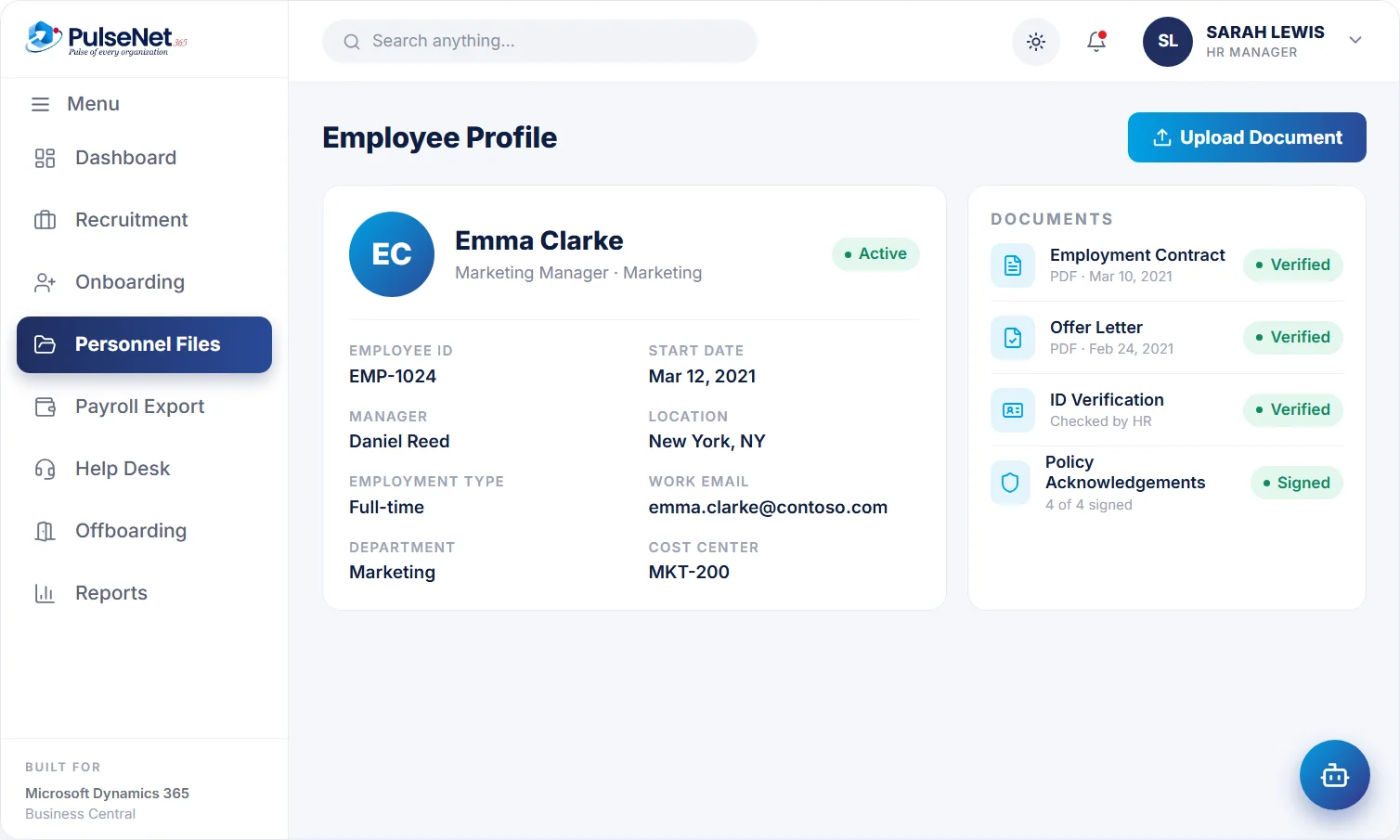
Digital personnel file. Illustrative screen with sample data.
YOUR OPTIONS
Three ways to run HR when you are on Business Central.
Each works. They differ in how much you re-key, sync and reconcile.
Built-in Business Central HR
Good for the basics.
·
Employee records and qualifications
·
Absence registration
·
No recruitment, reviews, learning or self-service workflows
A standalone HR app
Broad, but somewhere else.
·
A second employee database
·
Connectors or exports to keep in sync
·
Separate logins, permissions and reports
PulseNet365
Broad, and where your finance lives.
- 12 HR modules built for Business Central
- One employee record, candidate to leaver
- An assistant that files the request, a person who approves it
STRAIGHT TALK
What we do, and what we don't.
Knowing the limits up front saves everyone a meeting.
We do
- Run recruitment, onboarding, leave, time, reviews, learning and expenses on Business Central
- Hand payroll-ready data to your payroll provider
- Host on Microsoft Azure, private to your organisation
- Let you start with two or three modules
We don't
- Calculate pay or file payroll taxes
- Let the assistant approve anything on its own
- Ask you to change your ERP
- Make you switch on all 12 modules at once
BUILT ON MICROSOFT
Works with the Microsoft tools your teams already use.
Dynamics 365 Business Central
Microsoft Azure
Power Automate
Power BI
Power Apps
Microsoft Teams
Outlook
Excel
Microsoft product names and logos are trademarks of Microsoft Corporation, shown to identify compatible products.
WHO YOU'LL WORK WITH
A Microsoft partner that answers the phone.
Alphavima Technologies is a Microsoft Solutions Partner and ISV with more than 20 years in IT services and offices in Canada, the United States, the United Kingdom, India and the UAE.
Neelima Dheer
Global Head, ERP Products & Services
Ask about: Product & delivery
David Dhanoa
VP of Sales
Ask about: Sales & partners
Akhilesh Mittal
Chief Technology Officer
Ask about: Technology
Vishal Shrivastava
Head of Product & Growth
Ask about: Product & growth
Microsoft Solutions Partner
ISO 27001 certified
ISO 9001:2015 certified
IAMCP member
BUYER'S CHECKLIST
Seven questions for any HR vendor when you run Business Central
Ask every vendor the same questions, PulseNet365 included, and notice where the answers get vague.
Where does the employee record live?
One record, or a copy in each system kept in step by a sync? With copies, ask who decides which one is right when they disagree.
Who fixes a failed sync?
And how would you find out it had failed? If the answer is a log nobody reads, the first sign may be a wrong figure in payroll.
Show a claim reaching finance
Ask to see an expense claim go from submission to finance, live. Watch for any step where someone downloads or uploads a file.
What does the AI do alone?
Ask exactly which actions it completes without a person. In PulseNet365 the answer is none: the assistant files requests and people approve them.
Where does payroll responsibility end?
PulseNet365 prepares payroll-ready data. Your payroll provider calculates pay and files payroll taxes. Any vendor should draw that line just as clearly.
Can we start with two modules?
Ask what it takes to start small and add later, and whether each new module means new integration work. On one record, it should not.
Who answers after go-live?
Ask who picks up when something breaks, and whether it is the same team that configured it. Alphavima handles deployment, configuration and training, and support continues at your plan’s level.
THE HIDDEN COST
What re-keying really costs, before anyone counts it
Re-keying rarely appears in a budget because each copy takes minutes. The cost shows up elsewhere: in hours of checking before payroll cut-off, in errors found at month-end, and in the time lost working out which system holds the right number.
There are quieter costs too. Approved data waits for someone to type it, so reimbursements and the month-end close wait with it. The link between an approval and a figure disappears, so “where did this number come from?” has no good answer. And the process often lives in one person’s head, which becomes a problem the week they are on leave.
A useful first step is to list every place people data is copied by hand in a normal month, with who does it and how often. The list matters more than a total.

Why HR data belongs on Business Central explains the alternative →
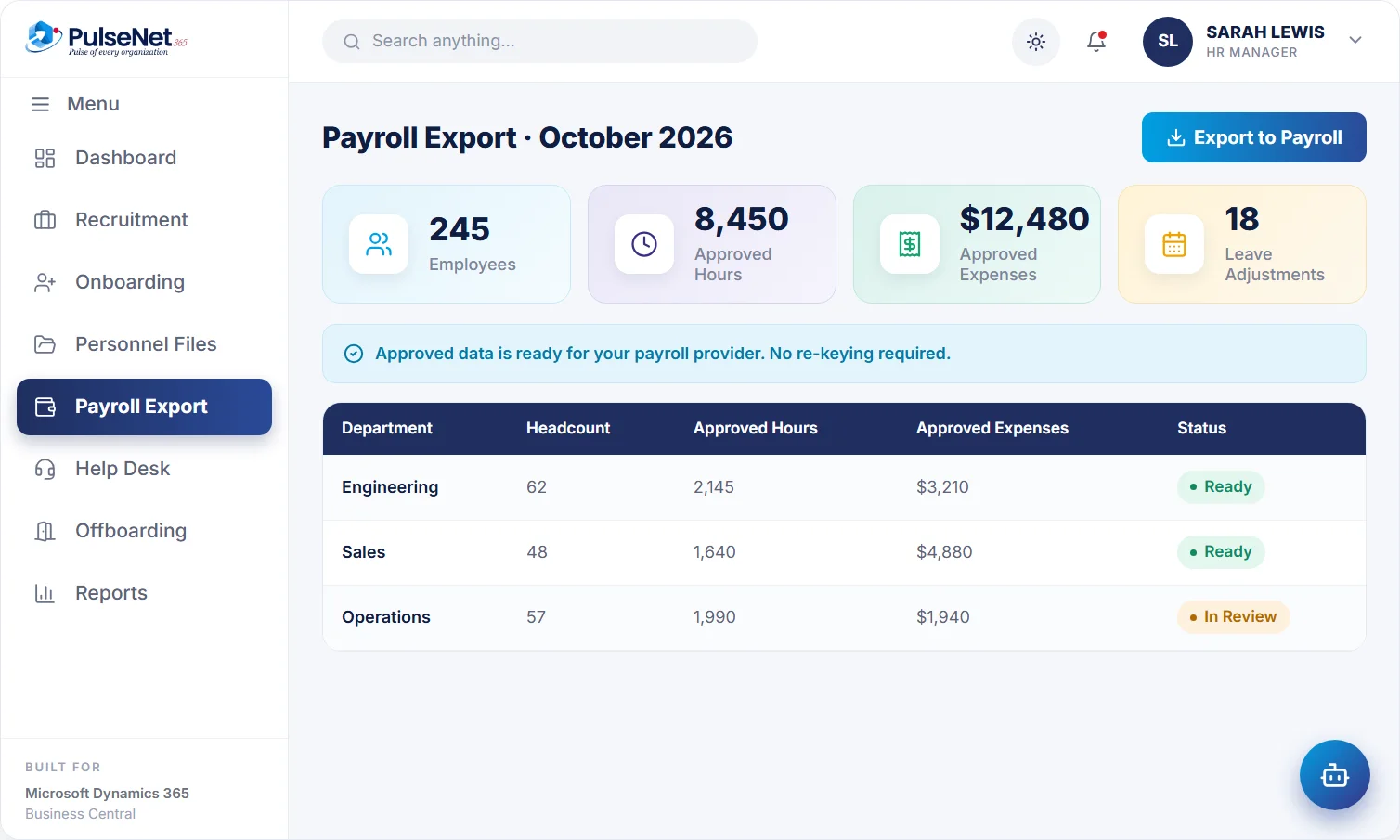
Payroll export. Illustrative screen with sample data.
PHASED ROLLOUT
How a phased rollout works in practice
Switching on twelve modules at once looks efficient on a plan. Phases are slower on paper and quicker in reality.
STEP 01
Prepare the foundations
Name an HR owner for each module, plus contacts in finance and IT. Clean job titles, departments and reporting lines, and write down leave types and approval rules.
STEP 02
Start where it hurts
Switch on two or three modules first. Records, Self-Service and Leave & Absence are a common start, because every employee touches them and they test approval routes early.
STEP 03
Retire the spreadsheet
Agree what finished looks like for the phase, for example every manager has approved a request and the leave spreadsheet is closed. If it is still in use, find out why.
STEP 04
Add the next modules
Bring in time, expenses and payroll preparation, then hiring, onboarding and reviews, timed to your own calendar. Each module uses the same record, so no new integration.
STEP 05
Review and adjust
After each phase, ask module owners what is used as intended, what is being worked around and which reports leaders actually read.
+
+
+
+
See how it would work in your organisation.
A 30-minute walkthrough of the modules that matter to you, on Business Central, with a written quote after.